
Global triggers
App-wide events you can raise from anywhere in your code.
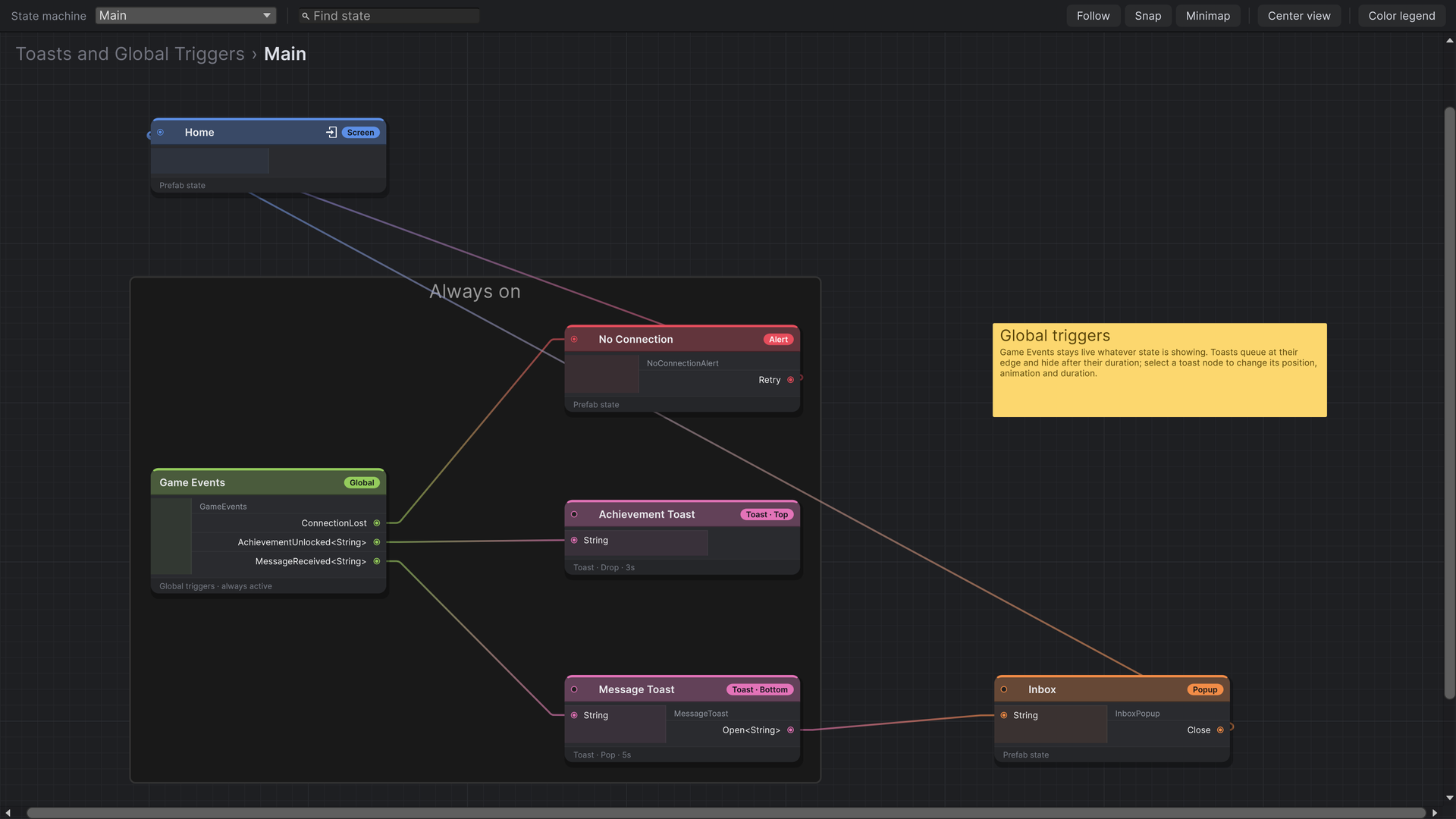
Some events don't belong to any screen: the connection drops, an achievement unlocks, a push message arrives. Global triggers are ports that stay live whatever state is showing, and any code can fire them without a reference to the state machine.
Declaring global triggers
Derive from GlobalTriggers<TSelf>, declare Trigger events as usual, and add a static method per event that calls Raise:
using StateFlow.Runtime.Components.Global;
using StateFlow.Runtime.Delegates;

public class GameEvents : GlobalTriggers<GameEvents>
{
    public event Trigger ConnectionLost;
    public event Trigger<string> AchievementUnlocked;
    public event Trigger<string> MessageReceived;

    public static void RaiseConnectionLost() => Raise(events => events.ConnectionLost);

    public static void RaiseAchievementUnlocked(string title) => Raise(events => events.AchievementUnlocked, title);

    public static void RaiseMessageReceived(string message) => Raise(events => events.MessageReceived, message);
}
Raise has overloads for Trigger, Trigger<T> and Trigger<T1, T2>. The selector runs inside your class, the only place its events can be read.
Adding the node
Right-click the graph and choose Create › Global Triggers, name it and drag in the script. Wire its ports to states or toasts like any other trigger.
Raising them
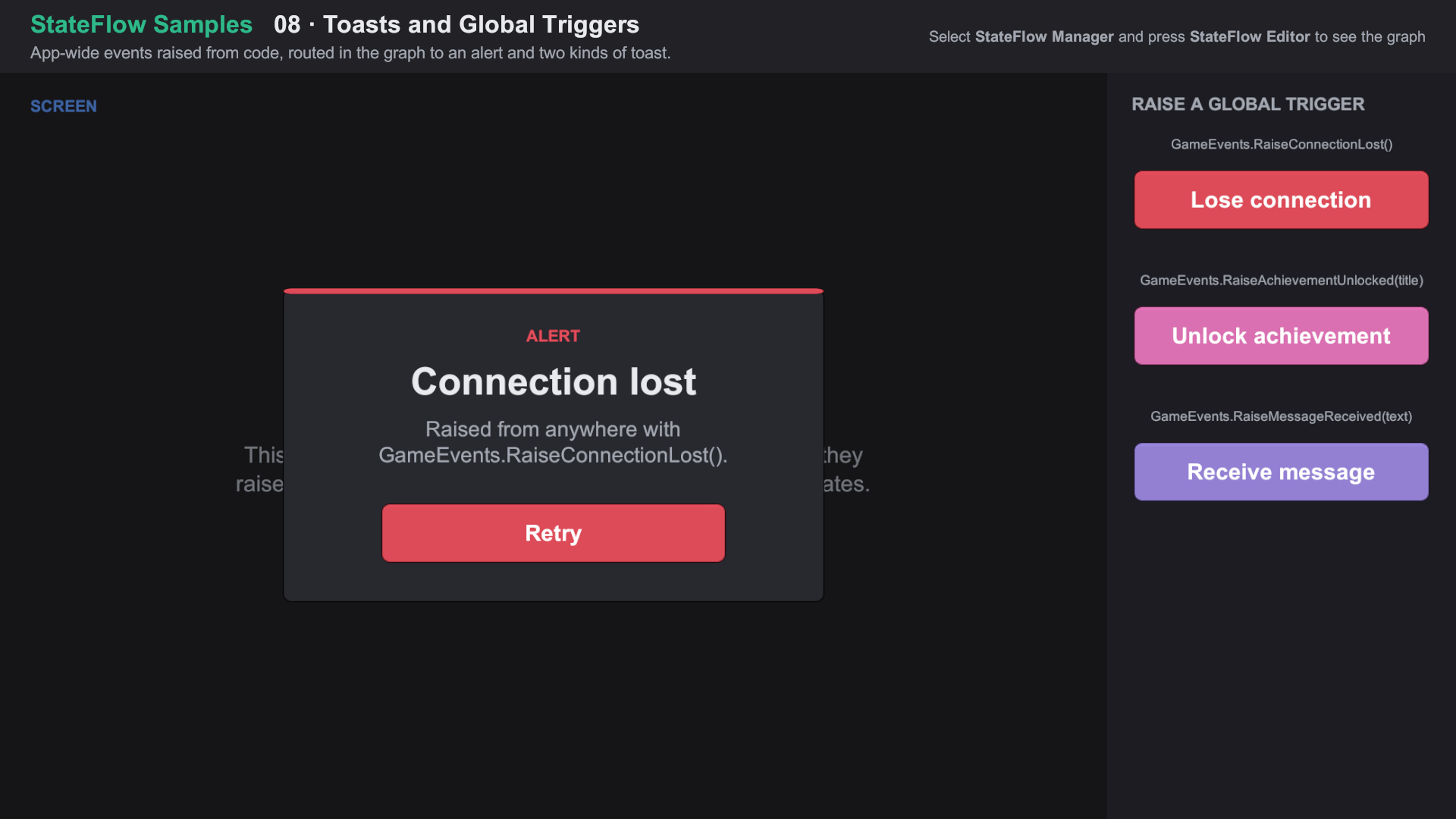
Call the static method from anywhere: a network service, an achievements system, a debug menu.
private void OnDisconnected()
{
    GameEvents.RaiseConnectionLost();
}
How they behave
- Global triggers nodes from every machine in the asset, including sub-states and linked assets, are created once and stay live for the StateFlow Manager's lifetime.
- They start after the entry state has loaded. Raising before that does nothing and logs a warning; check
GameEvents.IsActiveif you need to know. - With several StateFlow Managers running graphs that have a node for the same class,
Raisefires on all of them. - The transition is judged by the layer rules against the state on top. A global trigger leading to an Alert opens it over anything; one leading to a Screen replaces the current screen.
- The class must derive from
GlobalTriggers<TSelf>. A plainStateFlowComponenton a Global Triggers node can't be raised, and logs a warning saying so.
Import Feature Samples from the Package Manager and open 08 Toasts and Global Triggers/08 Toasts and Global Triggers.unity. About the samples