
Payloads
Pass typed data to the next state with Trigger<T> and Trigger<T1, T2>.
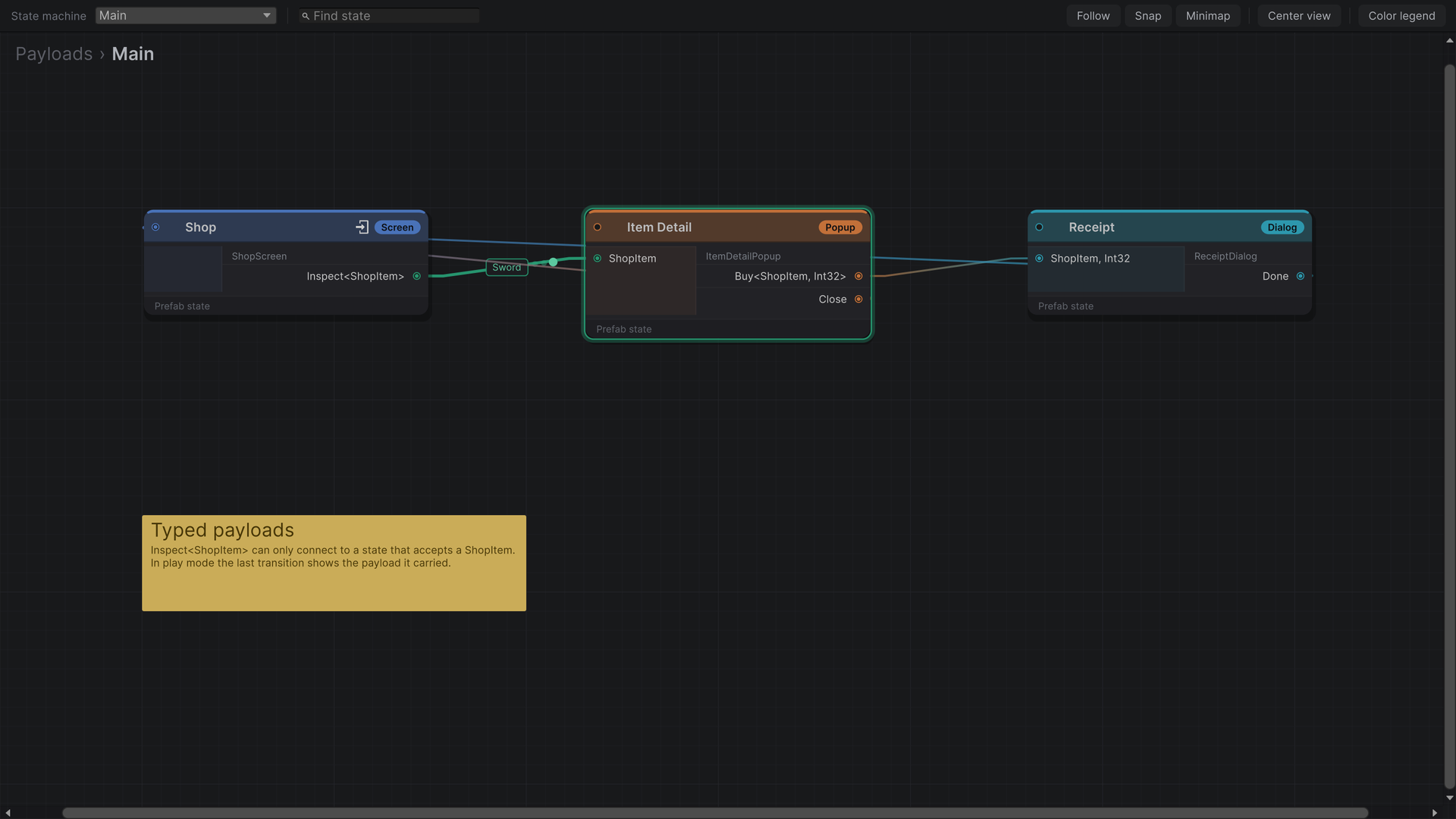
A trigger can carry data to the state it leads to: the level the player picked, the item they tapped, the result of a match. The type is part of the port, so a connection can only be drawn between a trigger and a state that accept the same type.
Sending a payload
Declare the trigger as Trigger<T> and pass the value when you invoke it. The port is named Inspect<ShopItem>.
public class ShopScreen : StateFlowComponent
{
    [SerializeField] private Button[] itemButtons;

    public event Trigger<ShopItem> Inspect;

    public override void Initialize()
    {
        for (var index = 0; index < itemButtons.Length; index++)
        {
            var item = ShopItem.Catalog[index];
            itemButtons[index].onClick.AddListener(() => Inspect?.Invoke(item));
        }
    }
}
Receiving a payload
Implement IStateFlowComponentWithPayload<T>. The node gets an input port for T, and SetPayload is called after Initialize and before LateInitialize and Enter, so the state is filled in before it is shown.
public class ItemDetailPopup : StateFlowComponent, IStateFlowComponentWithPayload<ShopItem>
{
    [SerializeField] private Text titleLabel;

    public void SetPayload(ShopItem item)
    {
        titleLabel.text = item.Name;
    }
}
A state can accept several payload types by implementing the interface more than once. Each type gets its own input port. Components on child objects can implement it too, and every component that accepts the type receives it.
Two payloads
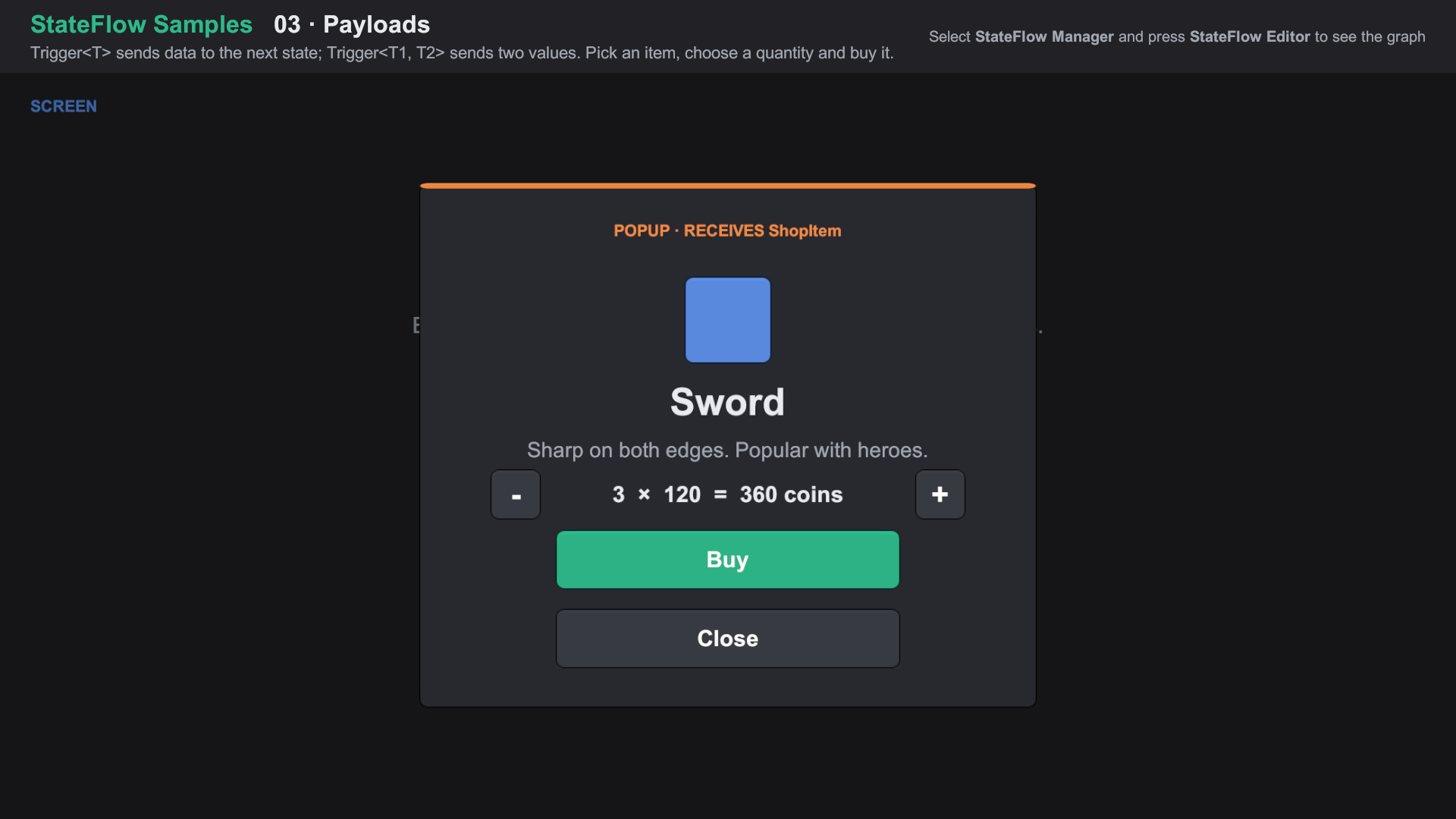
For two values, use Trigger<T1, T2> and IStateFlowComponentWithPayload<T1, T2>. The port reads Buy<ShopItem, Int32>.
// Sender
public event Trigger<ShopItem, int> Buy;
buyButton.onClick.AddListener(() => Buy?.Invoke(item, quantity));

// Receiver
public class ReceiptDialog : StateFlowComponent, IStateFlowComponentWithPayload<ShopItem, int>
{
    public void SetPayload(ShopItem item, int quantity)
    {
        messageLabel.text = $"You bought {quantity} × {item.Name}.";
    }
}
For more than two values, pass a small class or struct.
Seeing payloads in play mode
While the game runs, the graph marks the transition that fired last and shows the payload it carried in a chip on the wire, using the payload's ToString(). Override ToString on your payload types to make the chip readable.
Import Feature Samples from the Package Manager and open 03 Payloads/03 Payloads.unity. About the samples
Details
- Port matching uses the type's name (
ShopItem, not its namespace). Two payload types with the same name in different namespaces will look the same to the graph. - Going back with a payload: when a transition returns to a state that is still open underneath, that state receives the payload through
SetPayloadagain beforeEnter. A popup can hand its result back to the screen that opened it this way. - A payload-less transition can lead to a state that accepts a payload; it connects to the default input port and
SetPayloadis not called. - Global state that must outlive a screen, like a coin balance, belongs outside the flow: in a service, a ScriptableObject or a static class. A replaced state is destroyed.