
Toasts
Notifications that sit outside the screen stack.
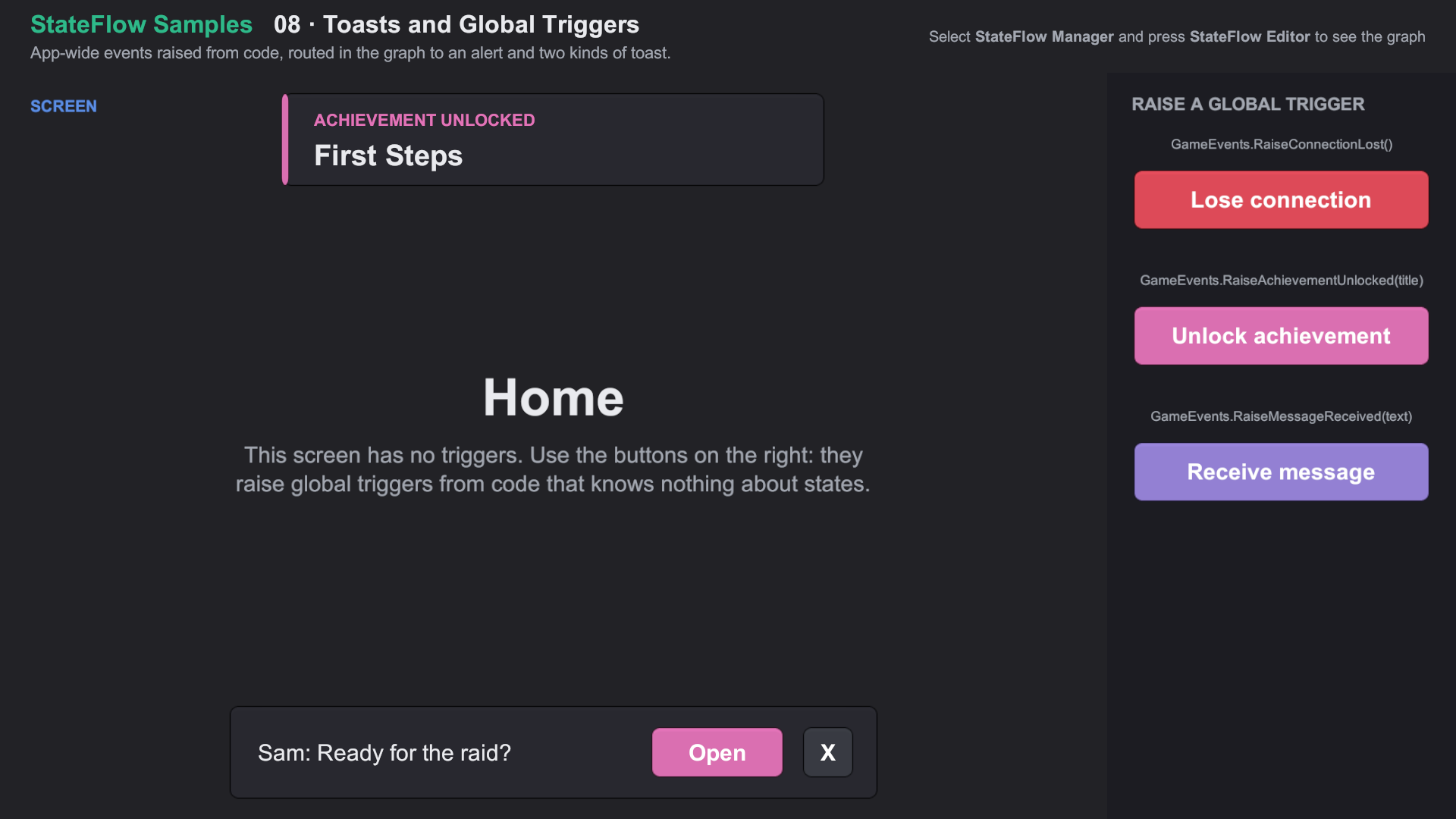
A toast is a short notification, like an unlocked achievement or a new message, that slides in at the top or bottom of the screen and goes away by itself. Toasts sit outside the screen stack: showing one never covers, replaces or exits the current state.
Setting up
- Add
ToastTopandToastBottomRectTransforms as the last children of the StateFlow Manager, so toasts draw above every layer and the transition overlay. Stretch them, with any margin you want from the screen edges. - Make the toast prefab with a fixed height (don't stretch it vertically). Its horizontal layout is kept; StateFlow only moves its vertical anchors and pivot to the edge it shows at.
- Right-click the graph and choose Create › Toast. Pick the prefab, the position, the animation and the duration.
- Connect any trigger to the toast node to show it.
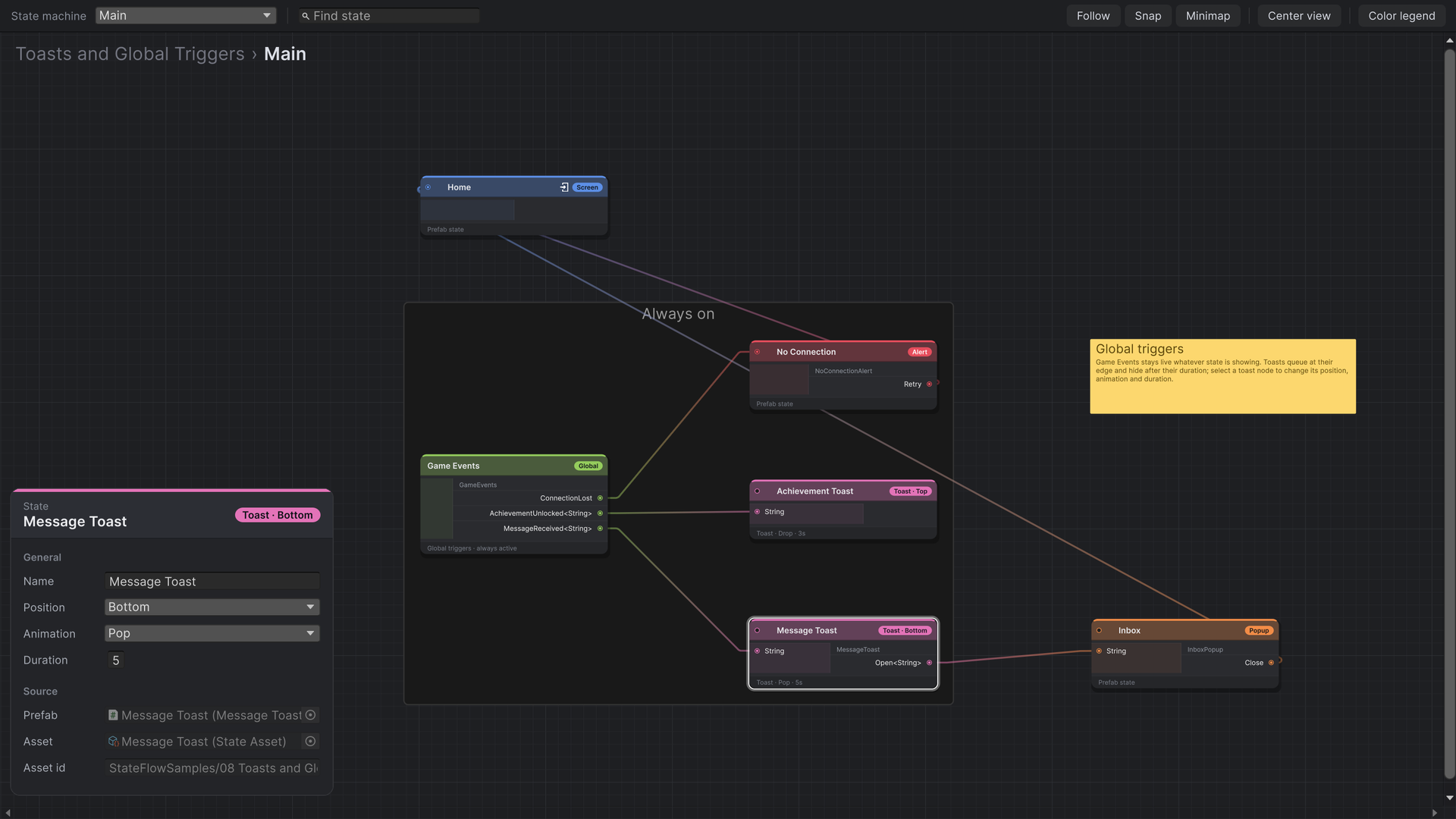
| Setting | Options |
|---|---|
| Position | Top or Bottom |
| Animation | Drop, Raise, Slide From Left, Slide From Right, or any class deriving from StateFlowToastAnimation |
| Duration | Seconds on screen, in real time. 0 keeps the toast until it is dismissed. |
How toasts behave
- Each edge shows one toast at a time. Toasts requested while one is showing wait in a queue, in order.
- Toasts take payloads like any state.
- A toast can have triggers. Firing one runs its transition and puts the toast away.
- The current state's triggers stay live while a toast shows, so it can raise more toasts or move on.
using StateFlow.Runtime.Components.State;
using StateFlow.Runtime.Delegates;
using StateFlow.Runtime.Toasts;

public class MessageToast : StateFlowComponent, IStateFlowComponentWithPayload<string>
{
    [SerializeField] private Text messageLabel;
    [SerializeField] private Button openButton;
    [SerializeField] private Button closeButton;

    private string message;

    public event Trigger<string> Open;                 // wired to an Inbox popup

    public override void Initialize()
    {
        openButton.onClick.AddListener(() => Open?.Invoke(message));
        closeButton.onClick.AddListener(() => this.DismissToast());
    }

    public void SetPayload(string payload)
    {
        message = payload;
        messageLabel.text = payload;
    }
}
Dismissing toasts from code
Extension methods on IStateFlowComponent, in StateFlow.Runtime.Toasts:
| Call | Hides |
|---|---|
this.DismissToast() | The toast this component belongs to |
this.DismissToasts(ToastPosition.Top) | The toast at that edge, and the ones queued behind it |
this.DismissAllToasts() | Every toast |
Custom animations
Derive from StateFlowToastAnimation and implement OnShow and OnHide, calling completed when each ends. It appears in the toast's Animation dropdown.
using System;
using System.Collections;
using StateFlow.Runtime.Toasts.Animations.Base;
using StateFlow.Runtime.Toasts.Animations.Wrapper;
using UnityEngine;

public class PopToastAnimation : StateFlowToastAnimation
{
    protected override void OnShow(IToastState toast, Action completed)
    {
        StartCoroutine(Scale(toast.RectTransform, 0.6f, 1f, 0.35f, completed));
    }

    protected override void OnHide(IToastState toast, Action completed)
    {
        StartCoroutine(Scale(toast.RectTransform, 1f, 0.6f, 0.2f, completed));
    }

    private static IEnumerator Scale(RectTransform target, float from, float to, float seconds, Action completed)
    {
        target.localScale = Vector3.one * from;     // set the first pose before the first yield

        for (var elapsed = 0f; elapsed < seconds && target != null; elapsed += Time.unscaledDeltaTime)
        {
            yield return null;
            target.localScale = Vector3.one * Mathf.Lerp(from, to, elapsed / seconds);
        }

        completed();
    }
}
IToastState gives you the toast's RectTransform, its Position, its RestingPosition and OffscreenPosition(ScreenSide) for moving it in from any side. For a variant of the built-in slides with different timing or easing, derive from MoveToastAnimation and override From, ShowSeconds, HideSeconds, ShowEase or HideEase.
OnShow runs on the frame the toast spawns, so set the starting pose before the first yield, or the toast flashes at rest for a frame. OnHide only runs once OnShow has completed. An exception in either still settles the animation, so a broken animation can't leave a toast stuck on screen.
Import Feature Samples from the Package Manager and open 08 Toasts and Global Triggers/08 Toasts and Global Triggers.unity. About the samples