
States & triggers
States are prefabs with a StateFlowComponent; triggers become ports.
States
A state is anything the flow can be "in": a title screen, a settings popup, a confirmation dialog. In code, a state is a MonoBehaviour deriving from StateFlowComponent. In the graph, it is a node.
Most states are prefab states: a uGUI prefab with the component on its root, loaded and spawned when the flow enters the state and destroyed when it leaves. StateFlow also has script states with no visuals, toasts and global triggers.
public abstract class StateFlowComponent : MonoBehaviour, IStateFlowComponent
{
    public GameObject GameObject { get; }
    public RectTransform RectTransform { get; }

    public virtual void Initialize() { }          // spawned: wire up the UI
    public virtual void LateInitialize() { }      // after the payload is set
    public virtual void Enter() { }               // became the active state
    public virtual void TransitionFinished() { }  // the transition into it ended
    public virtual void Exit() { }                // another state became active
    public virtual void Dispose() { }             // about to be destroyed
}
The Lifecycle page explains exactly when each method runs.
Triggers
A trigger is a public event of one of StateFlow's Trigger delegate types. Every trigger becomes an output port on the state's node, named after the event. Invoking the event moves the flow along the transition drawn from that port.
| Declaration | Port | Carries |
|---|---|---|
public event Trigger Back; | Back | Nothing |
public event Trigger<LevelData> StartLevel; | StartLevel<LevelData> | One payload |
public event Trigger<ShopItem, int> Buy; | Buy<ShopItem, Int32> | Two payloads |
public class SettingsPopup : StateFlowComponent
{
    [SerializeField] private Button closeButton;

    public event Trigger Close;

    public override void Initialize()
    {
        closeButton.onClick.AddListener(() => Close?.Invoke());
    }
}
A state never refers to the state its trigger leads to. That is the graph's job, so one screen can lead to different places in different games, or in different branches of the same game.
Only the active state's triggers are connected. Invoking a trigger on a state that has already been left does nothing, so you don't need to guard against double taps during a transition. A state covered by a popup is ignored too, but StateFlow logs a warning naming the state and trigger, because that usually means a result arrived while the player was looking at something else. Raise it after the state's Enter, or record the outcome in a model.
Triggers on child objects
Any StateFlowComponent in the prefab's hierarchy contributes its triggers, not only the root. A reusable currency bar can carry its own OpenStore trigger and show up as a port on every screen it is part of. See Spawned content.
The node
Select a state to see it in the info panel on the left of the graph. There you can rename it, change its layer and mark it as an entry or exit state. Its prefab and State Asset are linked from the panel too.
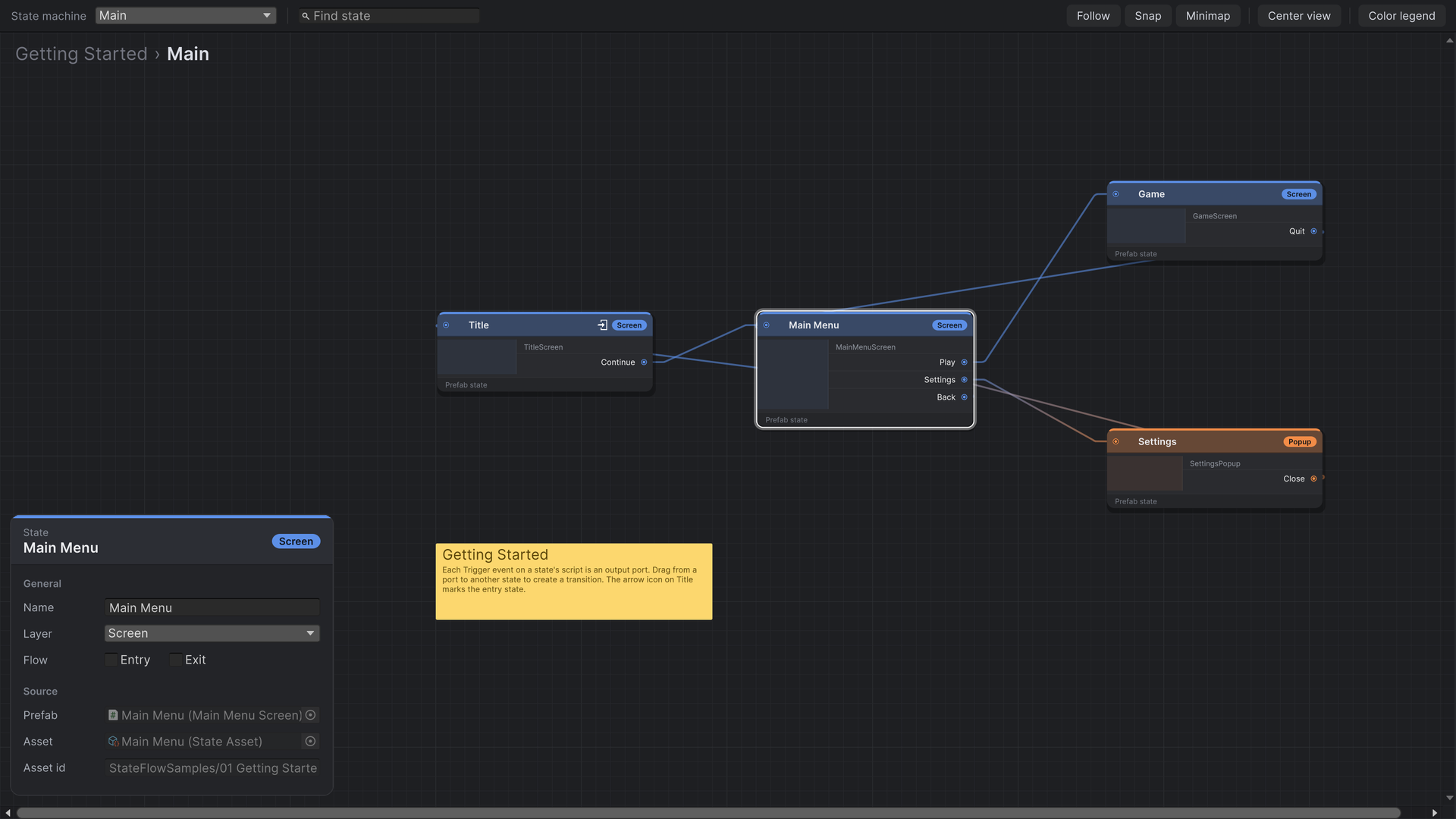
- Entry state (arrow into a box): where the graph starts. Each state machine has exactly one.
- Exit state (arrow out of a box): inside a sub-state, a state whose ports also appear on the parent graph.
- Input ports on the left: one default port, plus one per payload type the state accepts.
Renaming and refactoring
Transitions are stored against the script's full type name and the trigger's name. Rename a trigger or move a class to another namespace, and its transitions can no longer find their port. The editor lists them under Invalid transitions instead of dropping them silently, so you can reconnect them. See Validation.